Samigo App: Complete Guide to Online Assessments
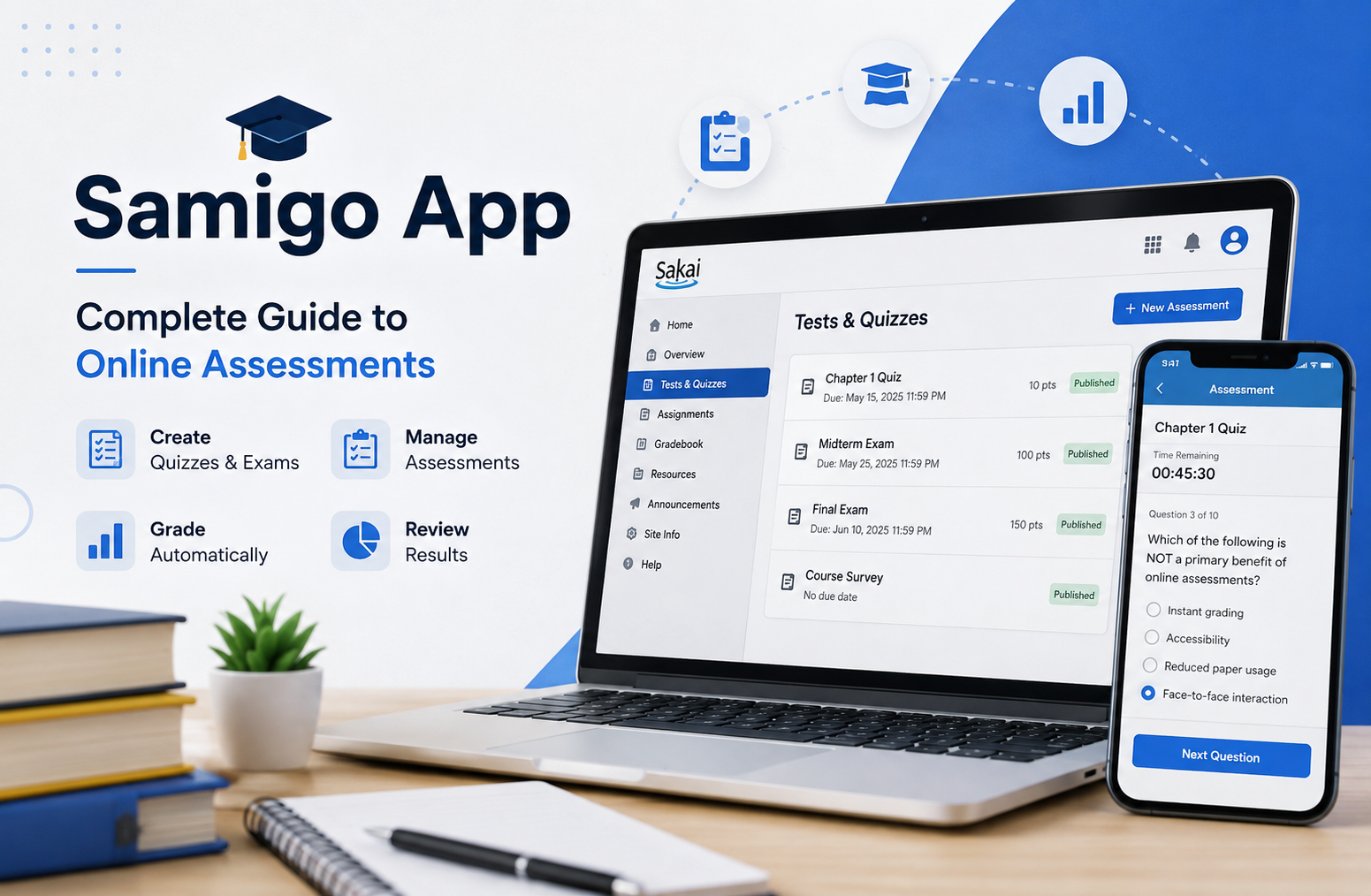
The samigo app is best understood in the context of Sakai’s online assessment system, where it supports the creation, delivery, grading, and management of quizzes, tests, exams, and surveys. For students, it can be the place where an instructor publishes an online assessment. For instructors, it provides tools for building questions, organizing question pools, setting time limits, controlling access, grading responses, and reviewing results. Unlike a typical standalone study application, Samigo is closely associated with the Sakai learning environment and is designed around structured academic assessment.
If you have searched for Samigo because your college or university uses Sakai, the most important thing to understand is that you generally do not approach it like a normal consumer app. Access is usually provided through an institution’s Sakai installation. This distinction matters because many websites describe Samigo as a general-purpose learning or productivity application, while the established Samigo system is the assessment component used within Sakai.
This guide explains what the platform does, how students use it, how instructors create assessments, which features matter most, where its limitations appear, and how to use it effectively.
What Is the Samigo App?
The samigo app refers to the assessment functionality associated with Sakai’s Tests & Quizzes tool. It is designed primarily for educational institutions that need to deliver online assessments through a learning management environment.
Sakai documentation describes Tests & Quizzes as a tool for creating online tests, exams, quizzes, and surveys. Assessments can be created manually, from prepared text, or through supported import methods. The system also provides settings for delivery, grading, student review, layout, and assessment metadata.
That makes Samigo different from a simple flashcard application.
A flashcard app is mainly designed for individual study and memorization. Samigo is designed around assessment workflows. An instructor can create an assessment, configure how students receive it, establish grading rules, publish it, collect submissions, and review results within the learning environment.
This distinction is particularly important for students who encounter the word “Samigo” in a university portal. You may not need to download anything. Your institution may already have the assessment system integrated into its Sakai website.
Is Samigo a Standalone Mobile App?
This is one of the most common points of confusion.
The established Samigo assessment tool is not best thought of as an independent mobile application that every student downloads from an app store. It is part of the Sakai ecosystem.
If your institution uses Sakai, you may access Tests & Quizzes through the course interface. The exact appearance and available settings can vary depending on the Sakai version and the configuration chosen by the institution.
Therefore, if someone tells you to “open Samigo,” they may actually mean:
- Log in to your university’s Sakai portal.
- Open the relevant course.
- Select Tests & Quizzes.
- Choose the assessment assigned by your instructor.
That is a much more accurate way to understand the platform.
How the Samigo App Works
The basic workflow is straightforward, although the number of available configuration options can make the instructor side considerably more sophisticated.
An instructor first creates an assessment. Questions can then be added individually or imported using supported formats. The instructor can assign points, select question types, configure feedback, organize questions, and determine how the assessment will be delivered.
Once the assessment is ready, it can be published according to the instructor’s chosen settings.
Students then see the assessment through their course environment.
The process generally follows this sequence:
- The instructor creates an assessment.
- Questions are added or imported.
- Grading and delivery settings are configured.
- The assessment is published.
- Students open the assessment.
- Students answer the questions.
- Responses are saved and submitted.
- The system grades eligible question types automatically.
- The instructor manually grades questions that require human judgment.
- Results can be reviewed and, depending on configuration, released to students.
Sakai’s documentation explains that published assessments become available to students, while draft copies remain in the instructor’s development workflow.
This separation between drafting and publishing is more important than it may initially appear. It reduces the chance that students will see an unfinished test while an instructor is still editing it.
Key Features of the Samigo App
The platform’s strength is not one flashy feature. Its value comes from combining multiple assessment functions into one academic workflow.
Multiple Question Types
Instructors can create different kinds of questions depending on the learning objective.
Common formats include:
- Multiple choice
- True or false
- Short answer
- Essay
- Fill-in-the-blank
- Matching
- Numeric questions
- File upload questions
- Audio response questions
- Survey-style questions
The exact question types and options can depend on the Sakai version and configuration.
This variety allows an instructor to assess more than simple memorization.
For example, a multiple-choice question may be appropriate for checking whether students understand a definition. A short-answer question can require them to explain a concept. An essay can evaluate reasoning, argumentation, or synthesis. A file upload can be useful when the assignment requires a document or other student-created work.
Sakai’s current documentation also shows that manually graded question types can include short answer or essay, file uploads, and student audio responses.
Automatic Grading
Automatic grading is one of the most practical advantages for instructors.
Objective questions can often be scored automatically. This can reduce repetitive grading work, especially in courses with large numbers of students.
However, automatic grading should not be confused with complete automated evaluation.
A multiple-choice answer can usually be evaluated against a predefined answer key. An essay cannot be judged reliably using the same simple mechanism. Questions that require interpretation or detailed feedback may still require instructor review.
Sakai’s documentation specifically notes that most question types can be automatically graded, while short-answer or essay questions, file uploads, and audio responses require manual scoring.
This is an important practical distinction when designing assessments.
Question Pools
Question pools allow instructors to organize reusable questions.
Instead of rebuilding every question for every assessment, an instructor can maintain collections of questions and use them in later quizzes or exams.
Question pools can also support randomized assessment designs. For example, an instructor might create a pool containing 30 equivalent questions and configure an assessment to select a smaller number from that pool.
This approach can reduce repetition while giving students different combinations of questions.
Sakai documentation explains that question pools can be used as the basis for random-draw questions, allowing different students to receive different questions covering the same subject area.
Randomized Questions
Randomization can be useful when an instructor wants to reduce answer sharing between students.
There are several ways to approach this.
An instructor might randomize:
- The order of questions
- The order of answer choices
- Which questions are selected from a pool
However, randomization should be used carefully.
Poorly designed randomization can create fairness problems. If one student receives substantially harder questions than another, the assessment may no longer measure students under equivalent conditions.
Good assessment design therefore matters more than simply turning on every available security feature.
Time Limits
Timed assessments are another major capability.
An instructor can configure time restrictions for an assessment or, in some configurations, specific portions or questions.
From the student’s perspective, this creates an important responsibility: once a timed assessment begins, the remaining time matters.
Sakai’s student guidance warns that the timer continues to count down even if the student loses their internet connection, closes the browser, or experiences a browser problem.
This means students should not begin a timed assessment casually.
Before clicking the start button, make sure:
- Your internet connection is stable.
- Your device has sufficient battery.
- You have enough uninterrupted time.
- Your browser is working normally.
- You understand the submission deadline.
A few minutes of preparation can prevent a stressful technical problem later.
How Students Use the Samigo App
From a student’s perspective, the process is usually much simpler than the instructor workflow.
You normally begin by entering your institution’s Sakai course.
After opening the relevant course, look for the Tests & Quizzes section. Your instructor may also provide a direct link to the assessment through another part of the course.
Sakai’s official student instructions state that students can access an assessment from Tests & Quizzes or from a course link such as a Lessons page.
Before Starting a Quiz
Do not immediately click the start button.
First check:
- The assessment title
- Due date
- Available time
- Number of attempts
- Any special instructions
- Whether an honor pledge is required
- Whether you need specific materials
- Whether your internet connection is reliable
If the assessment is timed, this preparation is especially important.
During the Assessment
Once the assessment begins, answer questions carefully and follow the navigation options provided by your instructor.
Depending on the assessment configuration, you may be able to:
- Move between questions
- Use a question progress panel
- Return to previous questions
- Save individual answers
- Review unanswered questions
- View the remaining time
Not every assessment will provide every option.
Sakai’s student guidance explains that question navigation, progress information, and the ability to move backward can depend on the quiz settings selected by the instructor.
Saving Your Answers
Saving is an important part of online assessment behavior.
Do not assume that you can close your browser and return later simply because you answered several questions.
Use the saving and navigation controls provided by the assessment.
If something goes wrong, contact your instructor or institution’s technical support as soon as possible. Waiting until after the deadline can make a technical issue much harder to resolve.
Submitting the Assessment
When you have finished, review your answers if the assessment permits review.
Then save and submit the assessment.
Sakai’s student documentation describes the final process as saving the work, selecting Submit for Grading, confirming the submission, and receiving submission information.
Do not repeatedly click the submission button.
If the system appears slow, give it time to respond instead of repeatedly submitting the same assessment.
How Instructors Create an Assessment
For instructors, Samigo provides a much broader set of controls.
The first step is usually opening Tests & Quizzes from the course tool menu and creating a new assessment.
The instructor then gives the assessment a title and begins adding questions.
Sakai’s assessment creation documentation describes a builder workflow in which instructors select a question type, enter the question content, establish the point value, configure answer options, and save the question.
Step 1: Define the Learning Objective
The strongest assessments begin with the learning objective, not the question editor.
Before creating questions, decide what students should demonstrate.
For example:
Weak objective:
Students should know photosynthesis.
Better objective:
Students should be able to explain how light energy is converted into chemical energy during photosynthesis.
The second objective naturally leads to better questions.
This is where assessment technology should remain secondary to teaching strategy. A sophisticated testing system cannot compensate for poorly designed questions.
Step 2: Select Appropriate Question Types
Choose question formats based on what you want to measure.
Use multiple choice when:
- You need efficient scoring.
- You are checking conceptual distinctions.
- You have a large class.
Use short answer when:
- Students need to produce a specific response.
- Recall needs to be demonstrated without answer choices.
Essays when:
- Reasoning matters.
- Students need to construct an argument.
- You want to evaluate synthesis.
Use file uploads when:
- Students must submit a document.
- The assignment involves a project or artifact.
Use audio responses when:
- Speaking ability is part of the learning objective.
- Students need to demonstrate oral communication.
The question type should serve the learning objective rather than the other way around.
Step 3: Assign Points Carefully
Point values communicate importance.
If a minor factual question is worth the same as a complex analytical response, students may reasonably conclude that the assessment does not reflect the course’s priorities.
Build a scoring structure that matches the cognitive demands of the assessment.
For higher-level questions, allow enough points to distinguish between weak, acceptable, and excellent responses.
Step 4: Configure Feedback
Feedback can turn assessment from a simple measurement tool into part of the learning process.
Depending on the question and assessment settings, instructors can provide feedback based on responses.
Useful feedback should explain more than whether an answer was correct.
For example:
“Incorrect” tells the student very little.
A better explanation might identify the misconception and point toward the relevant concept.
This is especially valuable in formative quizzes where the purpose is improvement rather than simply assigning a grade.
Assessment Security and Academic Integrity
Online assessment creates an unavoidable tension between convenience and academic integrity.
No software feature can completely eliminate academic misconduct.
Randomization, time limits, question pools, controlled availability, and other settings can make inappropriate collaboration more difficult, but they should be part of a broader assessment strategy.
For example, a well-designed assessment can use:
- Large question pools
- Random question selection
- Random answer ordering
- Appropriate time limits
- Clear academic integrity rules
- Application-based questions
- Questions that require explanation
- Multiple assessment formats
The goal should not be to make an exam unnecessarily difficult to access. The goal should be to make the assessment measure genuine learning.
This is a critical distinction.
A student who has studied the material should be able to demonstrate that knowledge without fighting the technology.
The Difference Between Formative and Summative Assessment
One of the most useful ways to think about Samigo is through the distinction between formative and summative assessment.
Formative Assessment
Formative assessments are generally used during learning.
Examples include:
- Weekly quizzes
- Practice tests
- Knowledge checks
- Short diagnostic assessments
- Concept reviews
The purpose is to discover what students understand and where they need more support.
These assessments can be relatively short and frequent.
Summative Assessment
Summative assessments are usually used to evaluate learning after a larger period of instruction.
Examples include:
- Midterm examinations
- Final examinations
- Major graded tests
- End-of-unit assessments
These assessments typically carry greater academic consequences.
The platform can support both approaches, but the assessment settings should reflect the purpose.
A five-question practice quiz does not need the same design philosophy as a two-hour final examination.
Advantages of the Samigo App
There are several reasons an institution may prefer an integrated assessment system.
1. It Fits Into the Learning Environment
Students do not necessarily need to move between several unrelated services.
If the institution already uses Sakai, assessments can live inside the same course environment.
2. It Reduces Manual Grading
Automatic scoring for suitable question types can save substantial instructor time.
That time can instead be used for feedback, course development, student support, or more thoughtful evaluation of written responses.
3. It Supports Different Assessment Formats
The range of question types makes the system more flexible than a tool designed only for multiple-choice quizzes.
4. It Supports Reusable Question Banks
Question pools make it possible to build assessment content that can be reused and organized over time.
5. It Provides Assessment Controls
Instructors can configure timing, delivery, grading, review, and other assessment behavior.
Sakai describes its Tests & Quizzes tool as including question pools, statistics, security options for high-stakes testing, and delivery controls.
Limitations to Understand
No assessment platform is perfect.
Understanding limitations is more useful than treating any educational technology as a complete solution.
It Depends on the Sakai Environment
The biggest practical limitation is that Samigo’s established role is tied to Sakai.
If your institution does not use Sakai, you may not have direct access to the system.
This means someone searching for a simple consumer quiz app may be looking for something different from the platform described here.
The Interface May Feel Institutional
Students accustomed to polished consumer applications may find an academic assessment interface less visually engaging.
That is not necessarily a functional weakness, but it can affect the user experience.
The priority is assessment administration rather than entertainment.
Configuration Can Become Complex
Sakai provides many assessment controls.
That flexibility is useful for experienced instructors, but it can become confusing when too many settings are changed without a clear assessment plan.
A simple quiz should generally remain simple.
Technical Problems Can Affect Timed Tests
Internet interruptions, browser problems, device failures, and incorrect settings can create serious problems during high-stakes assessments.
That is why instructors should test assessments before publication and students should prepare their devices before starting.
Common Problems Students May Face
The Quiz Is Not Showing
Possible reasons include:
- The assessment has not been published.
- The availability period has not started.
- The deadline has passed.
- You are in the wrong course.
- Your account does not have the required permissions.
- The instructor has configured access restrictions.
If classmates can see the assessment and you cannot, contact the instructor rather than repeatedly refreshing the page.
The Timer Is Running
If a timed assessment has already started, the timer may continue even when your connection is interrupted.
This is why students should avoid starting an important quiz until they are ready.
Sakai specifically warns students that a timed assessment continues counting down through certain interruptions such as losing the internet connection or closing the browser.
You Are Unsure Whether the Quiz Submitted
Look for the submission confirmation and assessment status.
Do not repeatedly click the submit button.
If you cannot confirm the submission, take a screenshot if possible and contact your instructor or technical support promptly.
You Received No Grade
Not every question is necessarily graded automatically.
Essay, short-answer, file-upload, and audio-response questions may require instructor grading.
Therefore, a delay in receiving a final score does not automatically mean something went wrong.
Best Practices for Students
The most effective way to use the platform is to treat an online assessment like a real academic examination, not like a casual web form.
Prepare Before the Start
Check the instructions and make sure you understand:
- What material is covered
- How long you have
- How many attempts are allowed
- When the assessment closes
- Whether notes are permitted
- Whether external resources are allowed
Use a Stable Device
Avoid taking an important timed assessment on a device that frequently crashes or has an unreliable battery.
Avoid Unnecessary Browser Activity
Do not open multiple unnecessary tabs or windows during a timed examination.
Sakai’s own student guidance recommends using a supported browser, maintaining a dependable internet connection, and avoiding unnecessary multiple windows or tabs during testing.
Read Questions Carefully
Online tests encourage fast clicking.
Do the opposite.
Read the complete question before selecting an answer.
Watch for words such as:
- Except
- Most likely
- Best
- Least
- Always
- Never
- Primarily
These words can change the meaning of an otherwise familiar question.
Best Practices for Instructors
Instructors can improve the assessment experience by treating technology, pedagogy, and student experience as one system.
Test Before Publishing
Take the assessment yourself.
Check:
- Question wording
- Correct answers
- Point values
- Navigation
- Time limits
- Feedback
- Availability dates
- Student permissions
- Gradebook behavior
A five-minute instructor test can prevent a major student problem.
Keep Instructions Clear
Students should not have to guess what a question means or how the assessment works.
State clearly:
- Time allowed
- Number of attempts
- Allowed resources
- Submission requirements
- Grading expectations
- Feedback policy
Avoid Trick Questions
An assessment should measure knowledge, not the student’s ability to decode unnecessarily confusing language.
Difficulty should come from the intellectual task, not from unclear wording.
Use Question Pools Thoughtfully
Large question pools can improve assessment variation, but the questions should be comparable in difficulty.
Randomization is only fair when the underlying questions are reasonably equivalent.
Is the Samigo App Good for Online Exams?
It can be a strong option for institutions already using Sakai, particularly when instructors need structured assessments integrated with course management.
Its strengths are especially relevant when an institution needs:
- Online quizzes
- Formal examinations
- Question banks
- Automatic grading
- Manual grading workflows
- Randomized questions
- Timed assessments
- Surveys
- Assessment reporting
However, whether it is the right solution depends on the institution’s requirements.
A university already invested in Sakai has a very different decision to make from an individual learner looking for a flashcard application.
That context should always come first.
Samigo App vs. a Typical Quiz App
The difference becomes clearer when comparing their primary purposes.
A consumer quiz application often focuses on engagement, games, social competition, or personal study.
Samigo focuses more heavily on controlled academic assessment.
That means the experience may feel less playful, but it can be more appropriate for structured university assessment.
Consider the following distinction:
| Need | Samigo-style assessment | Typical quiz app |
| Formal university exam | Strong fit | Depends on platform |
| LMS integration | Strong fit within Sakai | Varies |
| Question pools | Supported | Varies |
| Automatic grading | Supported for suitable formats | Common |
| Essay assessment | Supported with manual grading | Varies |
| High-stakes controls | Available through assessment settings | Depends on platform |
| Casual self-study | Not its primary purpose | Often stronger |
| Gamified learning | Not its central purpose | Often stronger |
The important lesson is that “better” depends on the job.
An instructor running a university examination has different requirements from a student practicing vocabulary for ten minutes.
How to Get More Value From the Platform
If you are a student, the best way to benefit from the system is to focus on the learning process around the assessment.
After receiving your results, do not look only at the final score.
Ask:
- Which concepts did I misunderstand?
- Which mistakes were careless?
- Which questions took too long?
- Which topics should I review?
- Did I misunderstand the question or the underlying concept?
- Can I explain the correct answer without looking at the solution?
This turns assessment data into useful study information.
For instructors, the same principle applies.
Do not treat the final class average as the only useful result.
Look for patterns.
If many students miss the same question, the problem may not simply be student preparation. The question itself may be ambiguous, the concept may need reteaching, or the instructional material may not have prepared students adequately.
Assessment should therefore be viewed as evidence that can improve teaching, not merely as a mechanism for assigning grades.
A Practical Workflow for Using Samigo Successfully
A reliable workflow can be divided into three phases.
Before the Assessment
Students should:
- Confirm the assessment date.
- Read all instructions.
- Check the time limit.
- Test their device.
- Confirm internet access.
- Prepare permitted materials.
- Start only when ready.
Instructors should:
- Test every question.
- Verify answer keys.
- Check point values.
- Review randomization.
- Confirm availability dates.
- Test student permissions.
- Review feedback settings.
During the Assessment
Students should:
- Read carefully.
- Save answers as required.
- Monitor time.
- Avoid unnecessary browser activity.
- Review answers when permitted.
- Submit only once.
Instructors should:
- Monitor the assessment where appropriate.
- Have a process for handling technical problems.
- Avoid unnecessary changes while students are actively testing.
Sakai’s documentation cautions against changing assessment settings while testing is in progress because doing so may cause problems with student submission data.
After the Assessment
Students should:
- Confirm submission.
- Review feedback when released.
- Identify weak areas.
- Ask questions about unclear grading.
Instructors should:
- Review automatically generated scores.
- Manually grade applicable responses.
- Analyze problematic questions.
- Release grades according to course policy.
- Improve future assessments using the results.
Security, Privacy, and Responsible Use
Students should access assessments only through their legitimate institutional account and course environment.
Avoid entering university credentials into unfamiliar websites that claim to provide access to Samigo.
This is particularly important because the name can be used by unrelated websites and services.
If your institution has given you a specific Sakai login address, use that official route rather than searching for random downloads.
Instructors and institutions should also follow their own data protection, accessibility, retention, and academic integrity policies.
Technology should support those policies, not replace them.
Frequently Asked Questions
What is the Samigo app used for?
The Samigo assessment system is used to create and deliver online quizzes, tests, exams, and surveys within the Sakai learning environment. It also supports grading and assessment management.
Is Samigo a separate app that students download?
The established Samigo assessment functionality is associated with Sakai rather than being a typical standalone consumer app. Students normally access it through their institution’s Sakai environment.
Can Samigo automatically grade tests?
Yes. Many objective question types can be automatically graded. Questions such as essays, short answers, file uploads, and audio responses may require manual grading.
Can instructors randomize Samigo questions?
Yes. Instructors can use question pools and random-draw configurations to create varied assessments. Answer ordering can also be randomized for suitable question types.
Does Samigo support timed exams?
Yes. Assessment settings can include time restrictions. Students should understand that a timed assessment can continue counting down during certain technical interruptions.
Why can I not see my Samigo quiz?
The assessment may not yet be available, may have expired, may be restricted to certain students or groups, or may not have been published. If classmates can access it but you cannot, contact your instructor or institution’s support team.
Conclusion
The samigo app is most useful when understood as an assessment component within the Sakai learning environment rather than as a conventional standalone study application. Its core purpose is to help educational institutions create, deliver, grade, and manage online assessments.
For students, the most important lessons are practical. Confirm the assessment instructions before starting, prepare your device and internet connection, understand the timer and submission rules, and review feedback after the assessment.
For instructors, the platform offers considerable flexibility through question types, automatic grading, question pools, randomization, timing, feedback, and assessment controls. The best results, however, come from good assessment design rather than from using every available setting.
The strongest online assessment is not necessarily the one with the most technical features. It is the one that measures the intended learning objective fairly, communicates expectations clearly, provides useful feedback, and works reliably for the people taking it.
For official information about Sakai’s Tests & Quizzes functionality and student assessment procedures, refer to Sakai’s official documentation.