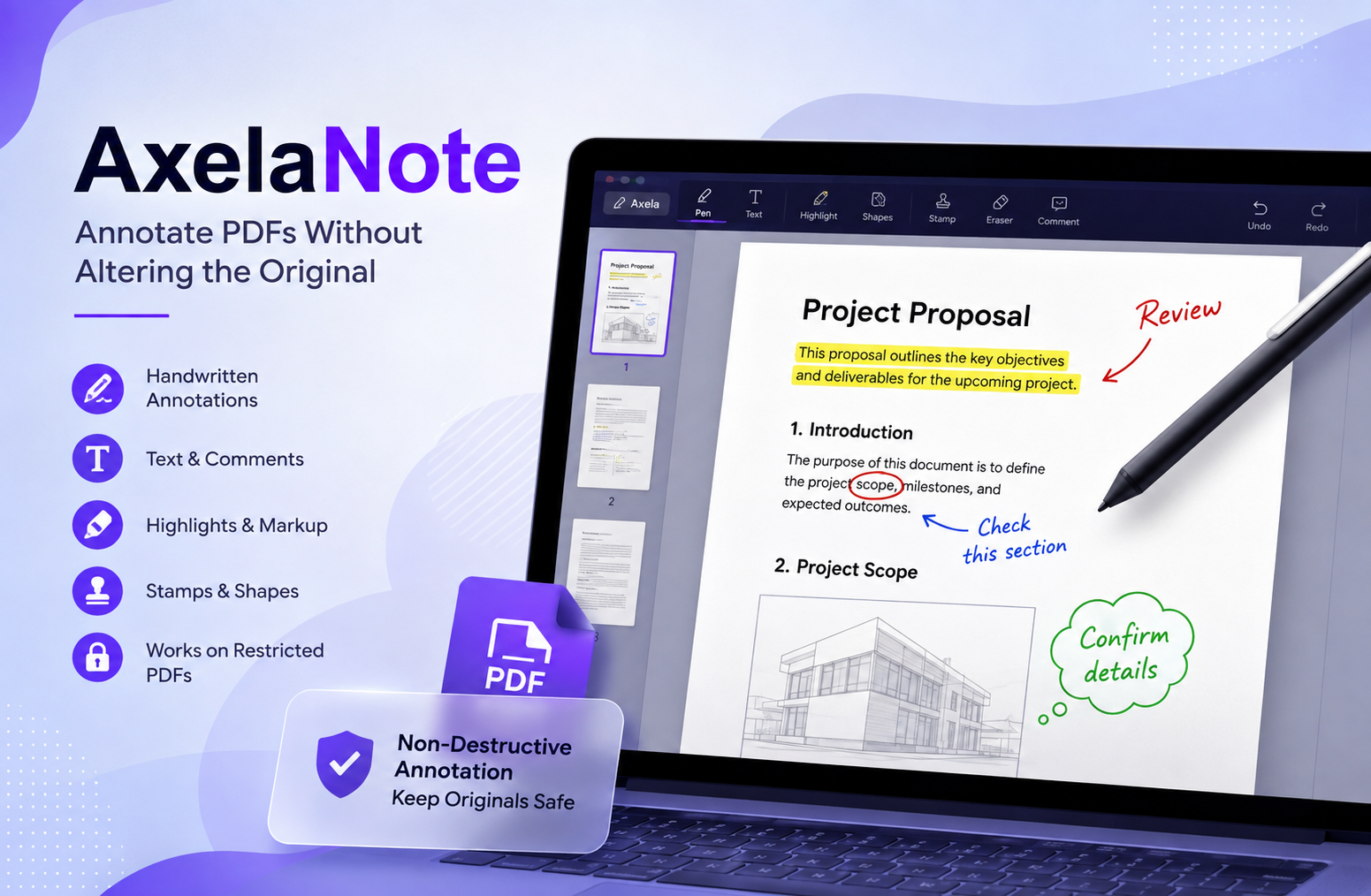
AxelaNote: A Practical Guide to PDF Annotation
AxelaNote is a Windows-based PDF annotation tool designed for people who need to write, highlight, mark up, or review documents without changing the original PDF. Its main distinction is its overlay approach: instead of treating the source document as something to edit, it places annotations on a separate transparent layer. This makes the software particularly relevant when document integrity matters, such as reviewing drawings, forms, reports, manuscripts, or restricted PDFs.
What Is AxelaNote?
AxelaNote is specialized software from TransRecog for adding annotations to PDFs and images while keeping the underlying document separate from the added markings. The application is a Windows tool that places a transparent layer over a document, allowing users to add comments, typed text, handwriting, corrections, and other marks without directly modifying the source PDF.
That distinction is important because many people use the words “PDF annotation” and “PDF editing” as if they mean the same thing. They do not.
A traditional PDF editor is generally intended to modify the document itself. You might change text, move objects, replace images, create forms, or alter the document structure.
AxelaNote approaches a different problem.
Imagine that you have an original paper document and place a transparent sheet over it. You can write on the transparent sheet, circle a section, add arrows, highlight a paragraph, or leave instructions. The original paper remains underneath.
That is the basic idea behind the software.
This makes it particularly interesting for document review rather than conventional document creation.
AxelaNote and the Non-Destructive Annotation Concept
The most important concept to understand is non-destructive annotation.
When reviewing a sensitive document, changing the original can create unnecessary problems. A contract, engineering drawing, official form, research document, or approved report may need to remain exactly as received.
Yet reviewers still need to write on it.
This creates a practical conflict:
- The reviewer needs to interact with the document.
- The original document should remain unchanged.
- Printing creates paper and handling overhead.
- Screenshots can make document review fragmented.
- Conventional PDF editing may not be appropriate.
The overlay approach addresses this conflict by separating the source material from the review layer.
This architecture is more than a technical curiosity. It changes how a document can be reviewed.
For example, a project engineer can mark a drawing with questions without treating those markings as permanent changes to the drawing itself.
A teacher can mark a student’s work digitally without needing to print the assignment.
A reviewer can highlight sections of a manuscript while keeping the original document available for reference.
The value comes from the separation.
How AxelaNote Works
The workflow is relatively straightforward.
1. Open the document
The user opens the PDF or supported document in the Windows environment.
2. Place annotations above the document
Instead of editing the underlying PDF content, the user adds information on the annotation layer.
Depending on the task, this can include handwriting, text, comments, corrections, highlights, or other markup.
3. Keep the source document intact
The original document remains separate from the annotation information.
This is especially useful when the document is considered the authoritative source.
4. Save the annotation work
The annotation information can be maintained separately from the original document. Earlier product documentation described separate annotation data and later versions continued to develop functionality around annotation management and export.
5. Export or combine when necessary
There are situations where the reviewer eventually needs a version containing the annotations. AxelaNote has included functionality for combining the original PDF and annotations into an output PDF.
This creates an important distinction between the working document and the final communication document.
The original can remain untouched while a marked-up version can be produced when required.
Why AxelaNote Is Useful for Restricted PDFs
One of the most notable reasons people investigate AxelaNote is its approach to restricted documents.
PDF files can have permissions that prevent conventional annotation, editing, or printing. That can become frustrating when the person viewing the document still needs to add review notes.
The software can add annotations even when a PDF has restrictions against annotation.
The important qualification is that users should understand what this means technically.
AxelaNote is not necessarily removing or defeating the permissions inside the PDF. Instead, its design allows the annotation to exist separately from the underlying PDF.
That is why the overlay concept matters.
Rather than attempting to rewrite the restricted PDF, the software places an independent annotation surface over it.
For organizations that frequently receive read-only documents, this can be a useful distinction.
Key Features of AxelaNote
The software has developed beyond simple handwriting.
Its feature set is aimed at practical document review.
Handwritten Annotations
For users with a pen-enabled Windows device, handwriting can provide a much more natural review experience than typing every comment.
This can be useful for:
- Technical drawings
- Academic papers
- Draft manuscripts
- Forms
- Meeting documents
- Design reviews
- Inspection materials
- Classroom assignments
The application supports keyboard, mouse, pen, and touch input.
Text and Comments
Typed annotations are useful when comments need to be clear, searchable within a workflow, or easy for another person to understand.
A reviewer can use text for longer explanations while using handwriting for quick visual markings.
This combination can be more practical than relying exclusively on one annotation method.
Highlights and Markup
Visual emphasis is often more effective than a paragraph explaining where attention is required.
A reviewer might highlight a sentence and add a short note beside it.
An engineer might circle a component on a drawing.
A teacher might mark an incorrect section and add a correction.
The annotation layer provides a workspace for this type of visual communication.
Stamps and Date Marks
Structured review environments often need more than freehand notes.
Stamps can communicate recurring information such as review status or approval-related information.
Recent product updates have also included improvements to date stamps, including support for multiple stamp configurations.
Shapes and Arrows
Shapes and arrows are particularly useful for diagrams and technical material.
Instead of describing “the item in the upper-right section of page 14,” a reviewer can point directly to the relevant location.
This reduces ambiguity.
Page Management
AxelaNote is not limited to writing on individual pages.
The broader product ecosystem includes functionality for page insertion, deletion, replacement, and rotation through its associated tools.
That can be useful when document review also involves reorganizing supporting material.
PDF Comparison
The software ecosystem also includes PDF comparison capabilities, allowing users to examine differences between two PDFs.
This can be particularly relevant for document revision workflows.
For example, a team might receive:
- An original drawing
- A revised drawing
- An updated specification
- A corrected report
Comparing versions helps reviewers identify what changed before adding their own annotations.
Who Can Benefit From AxelaNote?
AxelaNote is not designed around one narrow profession.
Its strongest use cases share one characteristic: the user needs to review or mark a document without treating the original as something to freely edit.
Engineers and Technical Teams
Engineering documents often contain diagrams, drawings, dimensions, specifications, and technical details.
Reviewers may need to indicate:
- Questions
- Corrections
- Design concerns
- Missing information
- Suggested changes
- Areas requiring inspection
A transparent annotation layer is well suited to this workflow because the drawing itself can remain separate from the review comments.
Construction and Architecture
Plans and technical drawings frequently pass between multiple people.
One person may create the drawing, another may review it, and another may make the required revisions.
Directly changing the source during every review stage can make version management difficult.
A separate markup layer gives reviewers a way to communicate visually while preserving the source document.
Education
Teachers and instructors can use PDF annotation for digital grading and feedback.
Instead of printing an assignment, writing comments by hand, and scanning it again, the teacher can mark the digital document directly.
This can be useful for:
- Essays
- Reports
- Worksheets
- Research papers
- Technical assignments
- Diagrams
Digital annotations can make feedback easier to maintain and revise during an academic workflow.
Legal and Administrative Review
Document integrity matters greatly when reviewing formal paperwork.
A reviewer may need to point out clauses, add questions, or highlight sections while keeping the received document intact.
AxelaNote should not automatically be treated as a legal records-management system, but its non-destructive annotation concept can be useful as part of a broader review workflow.
Organizations should still follow their own retention, security, audit, and document-control policies.
Publishing and Manuscript Review
Editors and reviewers frequently need to mark passages without rewriting the author’s source document.
Annotations can identify:
- Grammar issues
- Missing information
- Structural problems
- Questions for the author
- Formatting issues
- Factual points requiring verification
The original manuscript remains available for comparison.
Government and Public-Sector Work
Government workflows can involve documents that must be preserved carefully.
Annotation software can provide a practical way for reviewers to add comments and markings without directly changing the underlying source.
However, organizations should independently assess whether the software meets their particular security, procurement, accessibility, and records-management requirements.
AxelaNote vs a Traditional PDF Editor
The biggest mistake a potential user can make is assuming AxelaNote is simply another general-purpose PDF editor.
It is better understood as a specialized annotation and document-review tool.
A traditional PDF editor is usually the better choice when you need to:
- Rewrite existing PDF text
- Change document layouts
- Replace images
- Create complex PDF forms
- Build documents from scratch
- Perform extensive content editing
AxelaNote becomes more interesting when your main objective is:
- Reviewing a document
- Writing on top of a document
- Preserving the source
- Marking restricted documents
- Using handwriting
- Communicating visually
- Separating source material from review information
The distinction is simple.
PDF editing changes the document. PDF annotation communicates information about the document.
Some tools do both, but the underlying workflow can be very different.
The Importance of Keeping the Original Document Separate
The strongest argument for this approach is document integrity.
Consider a simple example.
A company receives a technical drawing from an external supplier. An engineer notices three issues and needs to communicate them to the supplier.
There are several ways to proceed.
The engineer could edit the original drawing.
That creates a risk that the edited file could later be mistaken for the supplier’s original.
The engineer could print it and write by hand.
That preserves the digital original but introduces paper handling.
The engineer could take screenshots.
That may make the review fragmented and difficult to manage.
Or the engineer could place annotations on a separate layer.
The last option creates a clear conceptual separation:
Source document = what was received.
Annotation layer = what the reviewer added.
That distinction can make document review easier to understand.
It is one of the most valuable ideas behind AxelaNote.
Using AxelaNote for a Better Review Workflow
Simply installing annotation software does not automatically create a good document process.
The workflow matters.
Step 1: Preserve the Original
Start by identifying the authoritative source file.
Do not overwrite it with your working annotations.
Keep a controlled original copy according to your organization’s document-management procedures.
Step 2: Use Consistent Annotation Rules
If several people review the same document, agree on conventions.
For example:
- Red for required corrections
- Blue for questions
- Green for approved items
- Yellow for items requiring further investigation
The exact colors are less important than consistency.
Step 3: Write Specific Comments
Avoid comments such as “fix this.”
A useful annotation should tell the recipient what the issue is.
For example:
“Dimension appears inconsistent with the specification on page 12.”
That gives the recipient context and makes the review easier to act on.
Step 4: Use Visual Markers Carefully
Do not cover the document with arrows and circles.
The goal of annotation is communication.
Too many markings can make the document harder to understand.
Step 5: Review the Annotations Before Sharing
Before exporting or sending a marked-up document, check:
- Are all comments understandable?
- Are annotations attached to the correct locations?
- Are there accidental marks?
- Are confidential notes included?
- Does the recipient need the original document as well?
- Does the final output need annotations merged into the PDF?
This final review can prevent avoidable mistakes.
System Requirements and Compatibility
Compatibility is an important consideration before adopting any Windows software.
Current product information lists Windows 10 64-bit and Windows 11 among the supported operating systems. It lists a minimum memory requirement of 4 GB and recommends 8 GB, along with a minimum display resolution of 1280 × 1024.
The product also supports several input methods, including keyboard, mouse, pen, and touch.
The current product information also identifies practical limits, including maximum PDF page and annotation-object counts. These limits can change between releases, so users handling unusually large documents should check the latest official requirements before deployment.
This is particularly important for organizations working with very large technical documents.
Is AxelaNote Available for Mac?
The available product information identifies AxelaNote as Windows software. The current requirements specifically list Windows 10 and Windows 11.
Therefore, someone working primarily on macOS should not assume that a native Mac version is available.
This is one of the first compatibility questions to resolve before selecting the software for a team.
If an organization uses mixed operating systems, it should test its complete workflow rather than evaluating the application on Windows alone.
Pricing and Licensing
Pricing and licensing information can change, so it is better to verify current terms directly with the developer before purchasing.
Published information has historically included both user and device licensing options for organizational use. A user license is associated with an individual, while a device license is associated with a particular computer.
This distinction matters for workplaces.
A small team where specific employees use the software regularly may have different licensing needs from a shared workstation environment where multiple people use the same computer.
The current product information also describes subscription pricing and a trial period, while noting regional availability.
International users should therefore verify availability, purchasing arrangements, and regional restrictions before planning deployment.
What Are the Limitations?
A balanced evaluation should not focus only on strengths.
AxelaNote has a specific purpose, and that specialization creates limitations.
Windows Focus
The software is designed around Windows. This can be inconvenient for organizations that standardize on macOS or require broad mobile support.
Not a Full PDF Editing Suite
If your primary requirement is changing PDF content itself, a traditional PDF editor may be more appropriate.
AxelaNote’s main strength is annotation, not replacing every function of a comprehensive PDF production suite.
Workflow Compatibility
A team should determine how annotations are shared, archived, exported, and reviewed before using the software for important projects.
A technically strong annotation system still needs a sensible document-management process around it.
Regional Availability
Regional availability should be confirmed before purchasing, particularly for users outside the software’s primary market.
This is particularly important for readers who may find AxelaNote online but assume that the software is globally available.
AxelaNote for Businesses
For a business, the value of annotation software should be measured by workflow improvement rather than by the number of buttons in the interface.
Ask these questions before deployment:
- How many documents are reviewed every week?
- How often are PDFs restricted?
- Do employees currently print documents for markup?
- Are drawings or forms reviewed manually?
- Do reviewers use pen-enabled computers?
- Does the organization need the original file to remain unchanged?
- How are annotations shared?
- How are final versions archived?
- Are there regulatory requirements for document handling?
- Does the software fit the organization’s existing Windows environment?
These questions provide a much better basis for evaluation than simply asking whether the application has more features than another PDF tool.
AxelaNote for Students and Teachers
Educational users have a different workflow.
A student may want to annotate:
- Lecture slides
- Research papers
- Textbooks
- Study guides
- Assignment PDFs
- Technical diagrams
A teacher may want to mark:
- Essays
- Homework
- Exams
- Reports
- Research projects
The benefit is not merely avoiding paper.
Digital annotations can be easier to maintain, revise, and reuse during an academic workflow.
However, students should still consider whether their institution has restrictions around document handling, copyrighted material, or assessment files.
AxelaNote for Technical Drawings
Technical drawings are one of the clearest examples of where a non-destructive annotation model can make sense.
A drawing can contain hundreds or thousands of important details. A reviewer may need to identify one specific issue without altering the source.
Instead of rewriting the drawing, the reviewer can mark the relevant component.
This creates a useful communication sequence:
Original drawing → visual annotation → review discussion → requested revision → revised drawing
The annotation becomes part of the communication process rather than becoming confused with the source itself.
For technical teams, that conceptual separation can be more important than having dozens of general-purpose editing functions.
How to Get Better Results From Annotation Software
The quality of a review is determined by more than the software.
Good annotation has three characteristics.
It Is Precise
The reader should immediately understand what the reviewer is referring to.
It Is Actionable
The annotation should explain what needs attention when appropriate.
It Is Contextual
A comment should contain enough information that another person can understand why the reviewer added it.
For example, a circle around a drawing component may identify the location, but a short note can explain the problem.
This is where experienced reviewers tend to outperform inexperienced users. They do not simply mark documents. They communicate decisions.
Is AxelaNote Worth Considering?
AxelaNote is worth considering when your main problem is not “How do I edit this PDF?”
The more relevant question is:
How do I interact with this document without changing the document itself?
If that is the problem, the software’s architecture becomes compelling.
Its overlay-based approach, Windows support, handwriting capabilities, support for restricted PDFs, and document-review features give it a distinct position in the PDF software market.
Recent development also shows continued work on features such as document limits, stamps, CSV information, page navigation, and other review-related capabilities.
But it is not automatically the best choice for everyone.
Someone who needs comprehensive PDF authoring, extensive cloud collaboration, or a broad multi-platform ecosystem may need a different solution.
The right choice depends on the workflow.
Practical Questions to Ask Before Using AxelaNote
Before introducing the software into a professional environment, clarify these points:
What type of documents will be reviewed?
The answer affects whether annotation is more useful than direct editing.
Does the original need to remain untouched?
If yes, the overlay approach becomes particularly relevant.
Are documents frequently restricted?
If yes, test the exact document types used by the organization.
Do users have pen or touch hardware?
If reviewers work with handwriting, compatible Windows hardware can make the workflow more natural.
Does the team need final PDFs with annotations embedded?
If yes, test the export and merging workflow before deployment.
Are there compliance requirements?
Do not assume that technical separation automatically satisfies every legal or compliance requirement. Review the organization’s own policies and applicable regulations.
A Practical Decision Guide
AxelaNote is likely to be a strong candidate if you need:
- Non-destructive PDF annotation
- Handwritten markup
- Visual document review
- Annotation of restricted PDFs
- Technical drawing markup
- Digital proofreading
- Windows-based workflows
- Separation between source files and reviewer notes
It may be less suitable if you primarily need:
- Full PDF content editing
- A Mac-first workflow
- Mobile-first document management
- Broad cloud collaboration
- A general-purpose productivity platform
The best software is not necessarily the one with the largest feature list.
It is the one that fits the actual problem.
Frequently Asked Questions
1. What is AxelaNote?
AxelaNote is a Windows document annotation application that lets users add handwriting, text, comments, and other markings over PDFs and images without directly modifying the original document.
2. Can AxelaNote annotate restricted PDFs?
Yes. Its overlay-based approach allows annotations to be placed separately from the underlying PDF, which can be useful when the PDF itself restricts conventional annotation.
3. Does AxelaNote change the original PDF?
Its core annotation method is designed to keep the original document separate from the annotations. The annotations are placed on a transparent layer above the source.
4. Does AxelaNote support handwriting?
Yes. The software supports pen and touch input as well as keyboard and mouse input, making handwritten document markup possible on compatible Windows hardware.
5. Is AxelaNote available for Windows 11?
Yes. Current product information identifies Windows 11 as a supported operating system.
6. Is AxelaNote a replacement for a full PDF editor?
Not necessarily. It is primarily suited to annotation and document review. If you need extensive editing of the actual PDF content, a full PDF editing application may be a better fit.
Conclusion
AxelaNote takes a different approach to document interaction. Instead of making the PDF itself the working canvas, it treats the original document as a source and places reviewer information above it.
That distinction makes the software particularly useful for document review, technical drawings, academic materials, forms, manuscripts, and situations where preserving the original matters.
Its strongest idea is also its simplest: annotate the document without unnecessarily changing the document.
The software supports handwriting, text, visual markup, stamps, document-related tools, and workflows involving restricted PDFs. Its continued development also demonstrates attention to document review and annotation workflows.
At the same time, prospective users should evaluate its Windows focus, regional availability, licensing model, workflow compatibility, and the difference between annotation and true PDF editing.
For users whose daily work revolves around reviewing rather than rewriting documents, that distinction can make all the difference.